


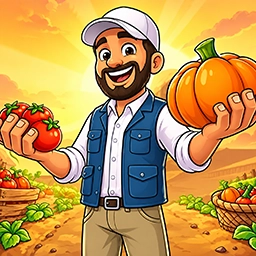
Cozy Farm World
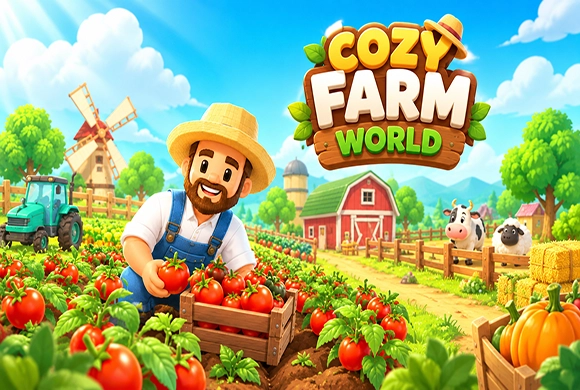
Cozy Farm World
Play Cozy Farm World
Welcome to Cozy Farm World, a relaxing and colorful farming game where you can plant crops, harvest fresh produce, raise animals, and expand your growing farm. Begin with a simple tomato field, complete farming missions, earn coins and experience points, and unlock new areas filled with crops, animals, helpers, and useful machines. Play Cozy Farm World on MiniGame and manage your farm directly in your browser. Get ready to build a thriving farm! Move around the land to plant and collect crops automatically, carry your harvest to the selling area, and reinvest your earnings in new fields and upgrades. Complete each objective, improve your farming efficiency, and discover how large your cozy agricultural world can become.
Key Game Features
Relaxing Farming Gameplay: Explore a cheerful 3D farm where planting, harvesting, collecting, and selling are handled through simple movement. Grow and Harvest Crops: Unlock crop fields, plant tomatoes and other produce, wait for them to grow, and walk through the fields to collect the harvest. Expand Your Farm: Spend the coins you earn to open new farming areas, animal enclosures, and production facilities. Complete Farming Missions: Follow objectives such as planting, collecting, and selling crops to earn experience points and increase your level. Raise Farm Animals: Unlock animal areas, care for different animals, and collect valuable products such as eggs and milk. Hire Helpful Workers: Recruit helpers to automate farming tasks and keep production moving while you focus on expanding the farm. Upgrade Your Efficiency: Improve useful abilities such as movement speed and carrying capacity to collect and transport more products. Colorful 3D World: Enjoy a bright farm environment featuring detailed fields, animals, decorative scenery, and satisfying collection effects.
How to Master Cozy Farm World
Getting started in Cozy Farm World is easy. Your first objective is to unlock the tomato field. Follow the mission marker, move onto the indicated purchase area, and remain there until the required coins have been paid. Once the field is unlocked, you can begin growing your first crops. Walk across the farming plots to plant seeds automatically. Try to cover the entire field so that every available space is planted. Crops take a short time to grow, and the current mission will show what you need to plant, collect, or sell. When the crops are ready, walk through them again to harvest the produce. Collected items are stacked behind your character, but your carrying capacity is limited. If the stack reaches its maximum size, take the products to the selling area before returning for another harvest. Selling produce rewards you with coins that can be used to unlock more land, recruit helpers, and purchase upgrades. Complete missions to gain experience, increase your level, and reveal additional activities. Plan your route carefully, keep your fields productive, and invest your earnings in upgrades that make future farming faster.
Game Controls
On a computer, use the WASD keys or arrow keys to move your farmer around the farm. On a mobile device, touch and drag or swipe on the screen to move in the desired direction. Most actions are automatic. Walk across fields to plant and harvest crops, enter marked zones to unlock areas or purchase upgrades, and carry products to the appropriate location to sell or process them.
Frequently Asked Questions
Q: What is Cozy Farm World? A: Cozy Farm World is a casual farming and management game where you grow crops, collect produce, sell goods, complete missions, unlock animals, and expand your farm. Q: How do I plant and harvest crops in Cozy Farm World? A: Move your character across an unlocked field to plant crops automatically. After the crops finish growing, walk through them again to collect the harvest. Q: How do I earn coins in Cozy Farm World? A: Harvest crops and carry them to the selling area. Sold products reward you with coins that can be spent on new areas, helpers, machines, and upgrades. Q: What happens when my carrying stack is full? A: You cannot collect more products when your carrying capacity reaches its limit. Visit the selling or processing area to unload the stack, then return to the field for another harvest. Q: How do I unlock new farm areas? A: Complete missions, earn coins, and move onto marked purchase zones. Stay inside the zone until the required amount has been paid to unlock the new area. Q: Are there animals and helpers in Cozy Farm World? A: Yes. As your farm develops, you can unlock animal-related activities, collect products such as eggs and milk, and hire helpers to make farming more efficient. Q: Can I upgrade my farmer? A: Yes. Progressing through the game provides opportunities to improve abilities such as movement speed and carrying capacity, helping you manage larger harvests. Q: Can I play Cozy Farm World online for free? A: Yes! You can play Cozy Farm World for free on MiniGame through your browser. Start farming, complete missions, unlock new areas, and grow your agricultural world without installing a separate app.

Idle Rancher
 608.4K

Chop.io
1.3M
Pop Stone2
4.8M
Mecha Beasts
278.4K
Bubble Legend
1.2M
Crazy Ball
667.7K
Bubble Spinner
1.1M
Tiny Clash
246.5K
Best Link
359.0K
My Fairies Dress Up
137.9K